Organize your tasks
everywhere anonymous with storage choice
100% anonymous | Choose storage location per device (local/cloud/hybrid) | Available on all platforms
100% anonymous | Choose storage location per device (local/cloud/hybrid) | Available on all platforms
No user e-mail or verification required. Account name and password are hashed on the server for pseudonymous use without tracking.
Choice between local, cloud or hybrid storage. Synchronization requires explicit user action to ensure complete control of user data.
Customization of font size, colors, background and other settings. Including accessibility options and a Smart View for simplified pTodo app use.
Scheduled reminders for all tasks via local push notifications. Local notification is independent of internet connection or cloud services.
This gallery will guide you through the most important areas of pTodo. Start with the task management - the heart of the app - explore the settings for personal customization, and discover practical features such as the integrated documentation. Each screenshot shows an aspect of the app that makes it easier for you to work productively.
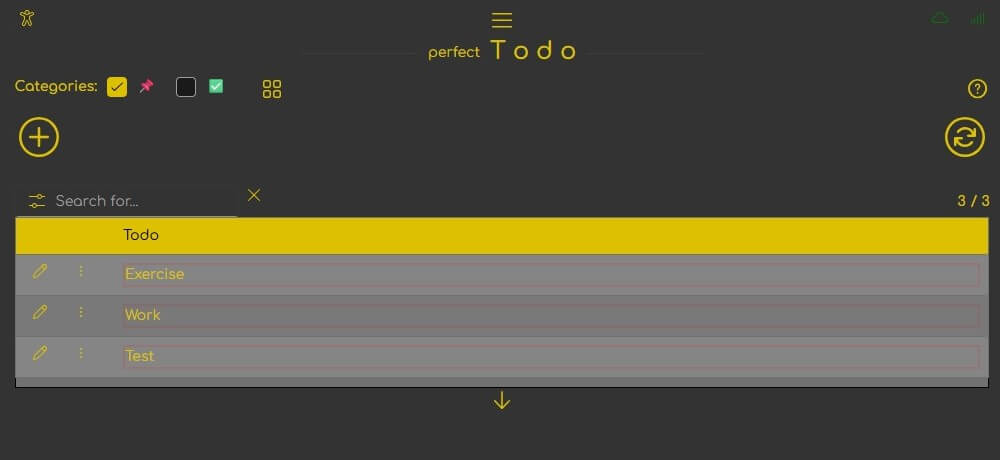
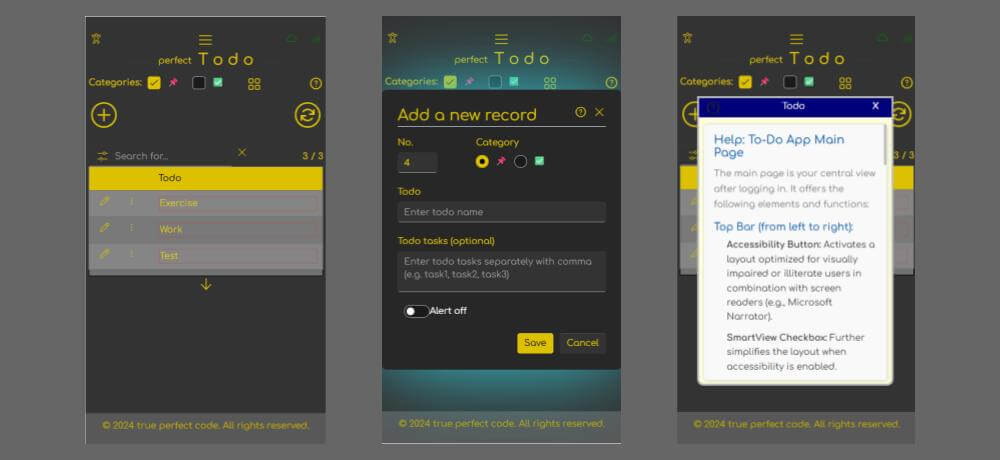
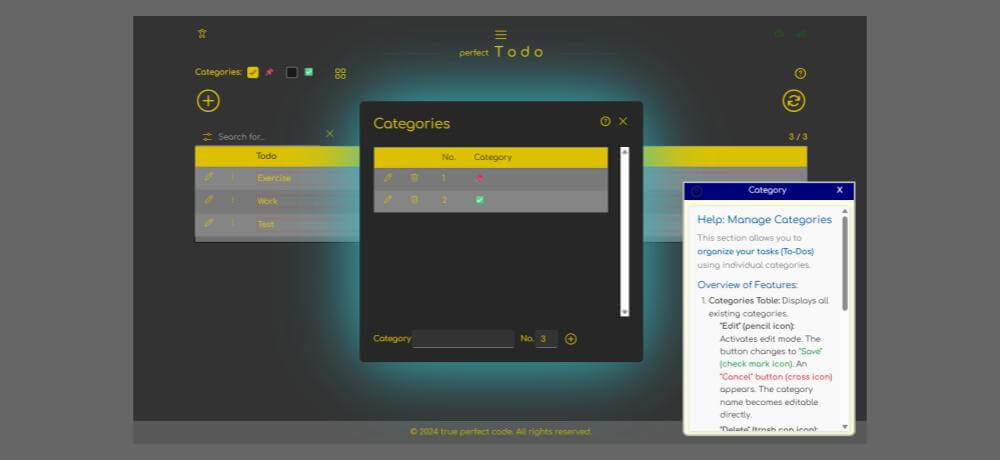
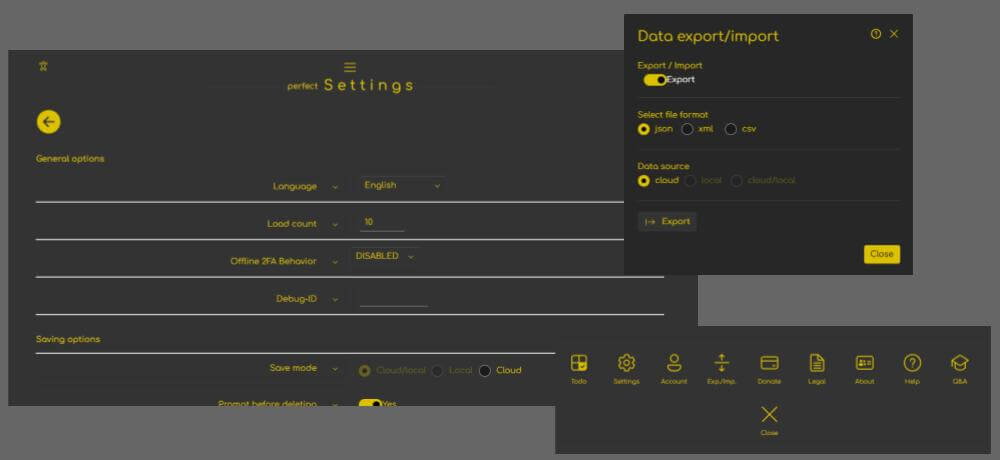
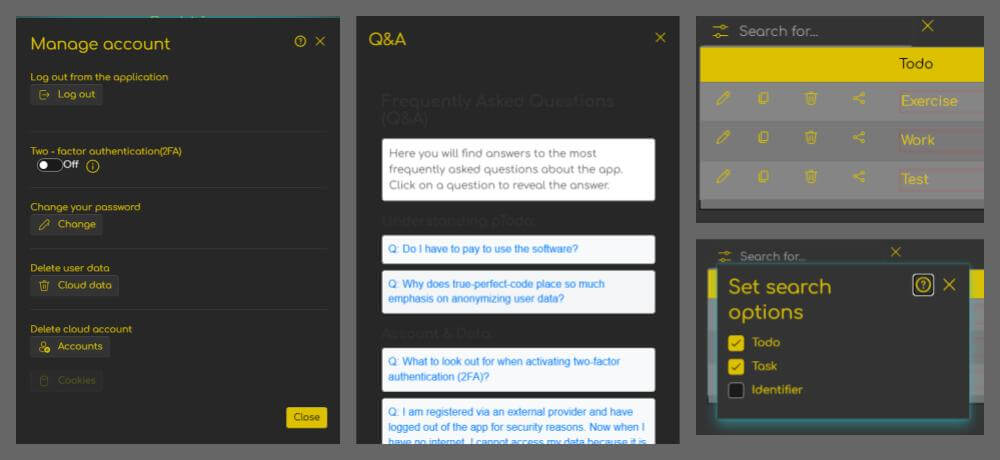
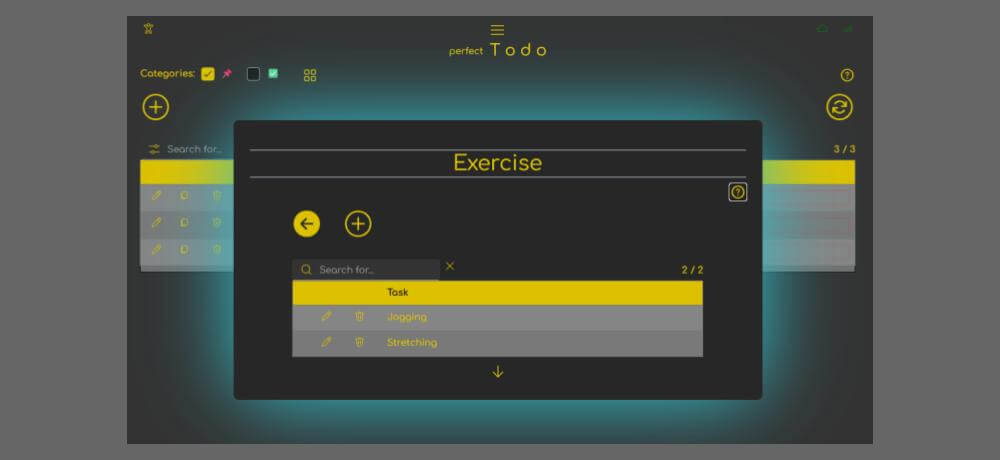
You can find the most important questions before you start here. For more support, there are two tools available in the app: Contextual help and Full Q&A
Context-sensitive help is available in every app section and can be accessed via the > ? < icon.
The complete Q&A, which contains all questions and answers, can be found in the app menu (without context link, but categorized).
Would you like to send us feedback without giving out your e-mail address or sharing personal data? At pTodo we respect your anonymity. Simply enter your title and message. A Q&A section for frequently asked questions based on anonymous user contributions will be updated with the next app update and on our web server.
Languages
Here you will find answers to the most frequently asked questions about the app. Select a question to reveal its answer using a mouse click or the Enter key.
Answer: There is no obligation to pay for the use of the software, but you should consider contributing to the development and operation of the software once a year in the form of a small donation. This is the only way we can enable you to use the software anonymously and without advertising.
Answer: As a company, protecting your data is particularly important to us. The EU General Data Protection Regulation (GDPR) sets strict guidelines for handling personal data, non-compliance with which can have serious consequences, especially for smaller companies. However, our approach goes beyond mere compliance with legal requirements: Through consistent anonymization, we ensure that personal data is never stored by us in the first place. This protects not only ourselves, but, more importantly, you – because even in the unlikely event of a server attack, your data remains secure and cannot be misused. For us, data protection is not a necessary evil, but a conscious decision for greater security and trust.
Answer: If you activate 2FA, you will receive a one-time QR code as well as a backup code that you can copy away. The QR code is used to install 2FA on your device. The installation takes place in an authentication app (e.g. Google Authenticator from the store). The app then continuously generates new 6-digit login codes for you every 30 seconds, which you can then use to authenticate yourself in our app for the second time (hence 2FA). If you lose your device or delete the Authenticator app, you can use the backup code to reset 2FA.
Answer: If there is no Internet and a local account has been created via an external ID provider, the user must not log out beforehand, otherwise they will not be able to access the app. This is for technical reasons, because if the app has no internet connection, it has no way of authenticating the user via an external identity provider. The alternative is that you do not log out of the app or that you create your own app account, because then a local login is possible, as the user can be authenticated via the local database on the device.
Answer: Quite simply because registration in the app is possible without email or verification. So, if you choose a random account name, the collected data cannot be assigned to you personally because we don't know who you are.
Answer: Your data will be anonymized in this case as well, but the problem is that we can't prove it to you. Generally, we only require the user's authentication and their Open ID (sub-number) from the external identity provider (Google, Microsoft, or Apple), which we then store in our database in hashed form so that the app data can be linked to an account. Since we do not request the account name, email, or any other data from the external identity provider, your account data is anonymized even when logging in externally.
Answer: If this message appears, it is most likely a conceptual error in the app. It is best to try to reproduce the error and then send us a report.
Answer: For some unknown reason, no categories have been created in your app. Without categories, todos cannot be created and therefore it is not possible to use the app. If this message appears, it is most likely a conceptual error in the app. It is best to try to reproduce the error and then send us a report.
Answer: Your device currently has no Internet Connection (the status of your Internet connection is displayed in the top right-hand corner of the app.). You may need to restart the app if an internet connection becomes available again. Please note that some areas of the app may not work without internet (e.g. registering new accounts).
Answer: The app can only be used if a valid account is registered in Cloud (either via an external identity provider or your own account in the app). If your client cannot determine this cloud account, the app will not be started (even if a local account may exist). This is an intentional implementation.
Answer: If the app cannot create a local account, this error message will be displayed. If this message appears, it is either a restriction on your device or a conceptual error in the app. It is best to try to reproduce the error and then send us a report.
Answer: This message means that your device has not received an access token from our WebApi server (or token is invalid). This can happen for various reasons, e.g. the Internet connection is very poor or our WebApi server is down or overloaded. Try to use the app at a later time. If the situation does not improve, it is also possible (rather unlikely) that this is a conceptual error in the app. Reproduce the error and send us a report.
Answer: For some reason, the local (or cloud) account could not be determined. It is most likely a malfunction of the app whose cause (whether restriction on the device or conceptual error in the app) can only be determined on the basis of your reports.
Answer: You will receive this message if the account data record you are trying to save has already been created in the database. It is unlikely (although theoretically possible) that this is also a conceptual error in the app. It is best to try to register with a different account, which hopefully is not already in use.
Answer: Your local and cloud categories are automatically synchronized in cloud/cloud-local storage mode. If this message appears, then something went wrong during synchronization and it is most likely a conceptual error in the app. It is best to send us a report.
Answer: If this message appears, the app has a problem reading your settings. This is most likely a malfunction of the app. Please check whether the error is temporary (perhaps because our WebApi server is unavailable) or permanent and send us a report.
Answer: This message indicates a connection problem with our WebApi server. Please check your internet connection and send us a report if the problem persists.
Answer: You are welcome to send us your suggestions. However, please bear in mind that we not only develop our own software, but also complex software solutions on behalf of other customers. We therefore have to assess on a case-by-case basis whether the further development of software that is financed by donations is still financially viable for us.
This window is your access point to the app from the landing page. It offers you options for language selection and authentication.
In the upper area you can choose the display language. Up to 10 of the most spoken languages in the world are available, identified by common country abbreviations.
The app offers two ways to log in, which you can select via separate tabs:
We only ask for the general OpenID Sub-number (sub) of your account. Although this number is already anonymized, we hash it additionally and store it in this form in our database.
Registration does not require an email address and can be done with any string as an account name. Before saving to our database, both the account name and password are hashed.
It is technically impossible for us to verify your identity based on the stored hash values or to derive your original login data. Your anonymity is thus fully preserved.